
The review tab [Fig 1] in the new app works in a slightly different way to previous versions. The data to be sync'd is broken up into sections making it easier to read and quickly understand how many of each item might be pending. The sync button is at the top so there is no need to scroll through everything to reach it.
In the unlikely event you receive a sync error and some or all data is not sent, the bottom container 'Sync errors' should be pictured and sent to Zetasafe support to help us more quickly identify what has gone wrong, for example you may have exceeded an asset licence limit.
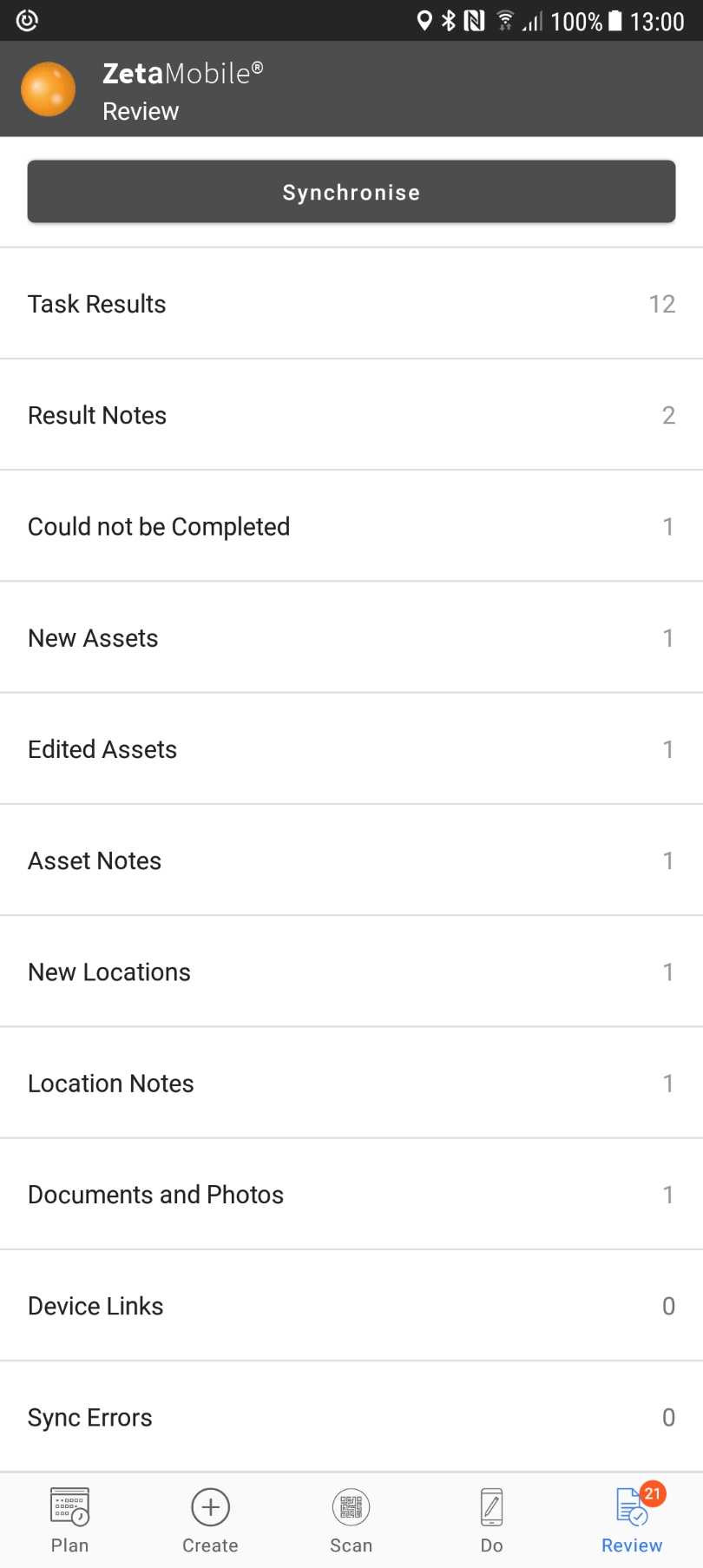
Fig 1
For example:
The task result section will display data as shown in Fig 2. The information shown is
- Task name
- Task completion date
- Result
- Barcode (Primary Identifier)
A red/amber/green dot identifies the result compliance OOS/Warning/OK and if an ! is present in the dot - a note is attached to the result. To view the notes go back to the review tab and select result notes [Fig 3]
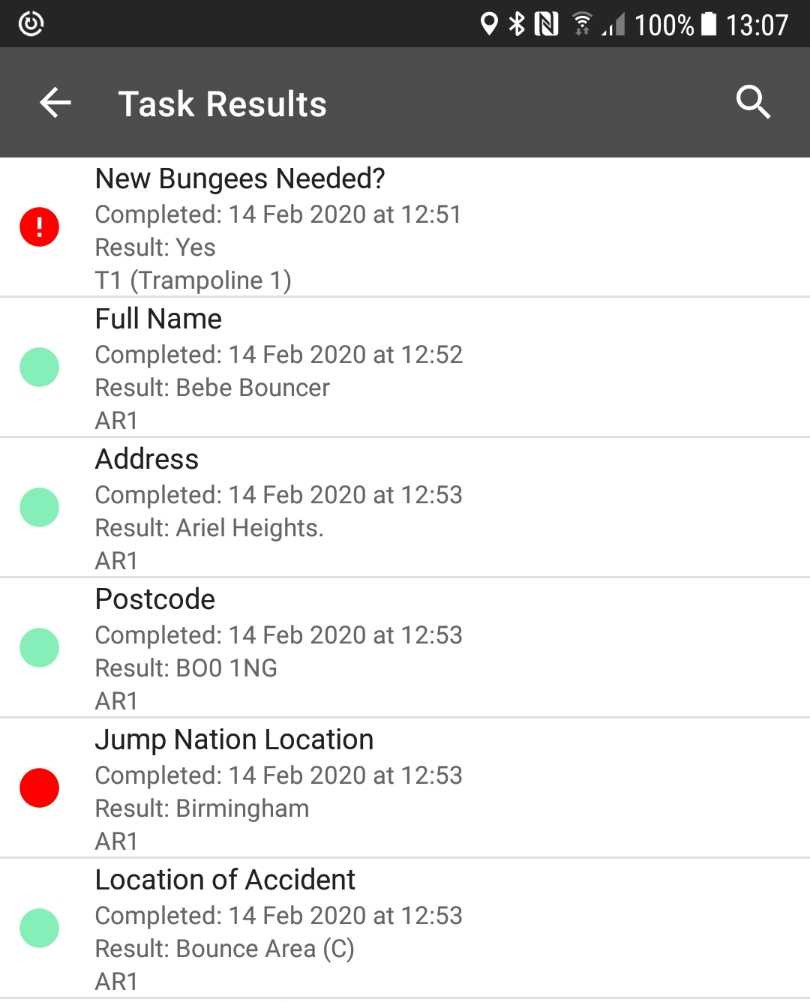
Fig 2
The result note section will display data as shown in Fig 3. The information shown is:
- The result note text
- Task name
- Asset type
- Barcode (Primary identifier)
Where a document is attached to a note the paperclip symbol is displayed.
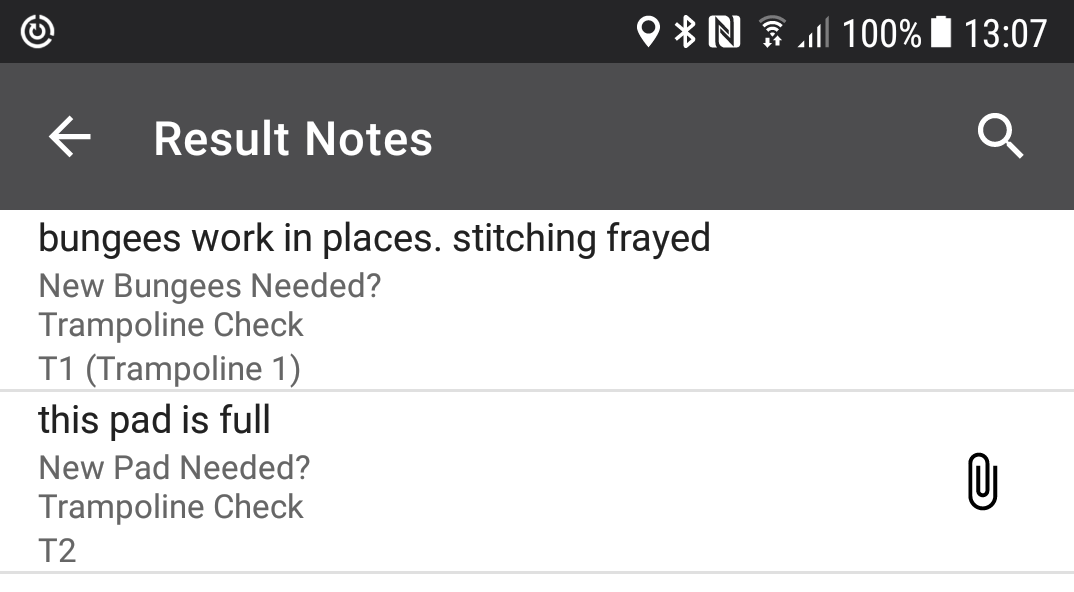
Fig 3
Comments
0 comments
Article is closed for comments.