
The use of remote data capture (eg from Temperature probes) is not enabled with a standard ZetaSafe package, if you would like to find out more about this and whether you could benefit from it please speak to your account manager, or email support@zetasafe.com who will be able to direct your questions to an appropriate member of the team.
Tags are enabled per asset & task, so every single task throughout the entire system has it's own unique identifier, this identifier allows data from a remote device, such as a temperature probe within an air duct, to send data automatically to our API.
It is possible to alert users where such a result is out of spec, according to settings for the task within the compliance scheme. Each tag has a description and this text is applied to notes associated with out of spec results and also is appended in any watcher emails.
Tag settings are accessed by selecting an asset from the asset list and choosing the Tag Settings option from the side menu.
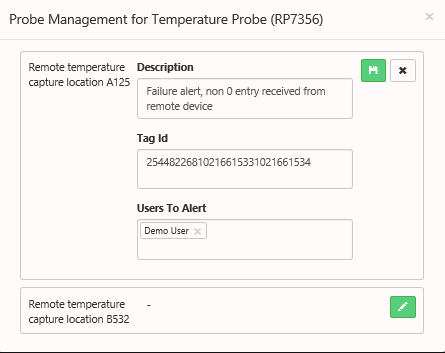
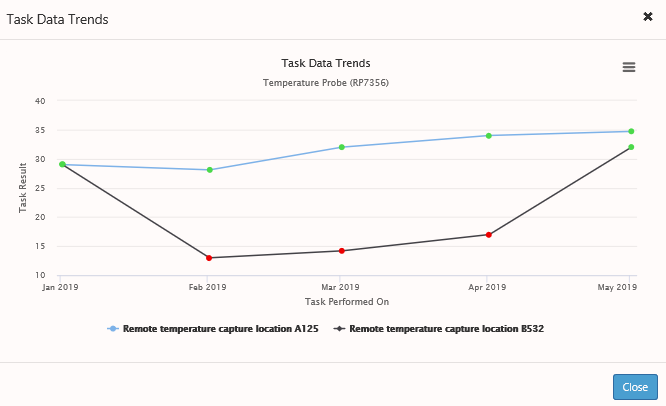
In the example above we have associated a number task with each probe location, this means that we can view data on the Task Trends widget and potentially see if we have any areas of the system which deviate from normal and could provide early indicators of system failure.
Comments
0 comments
Article is closed for comments.