
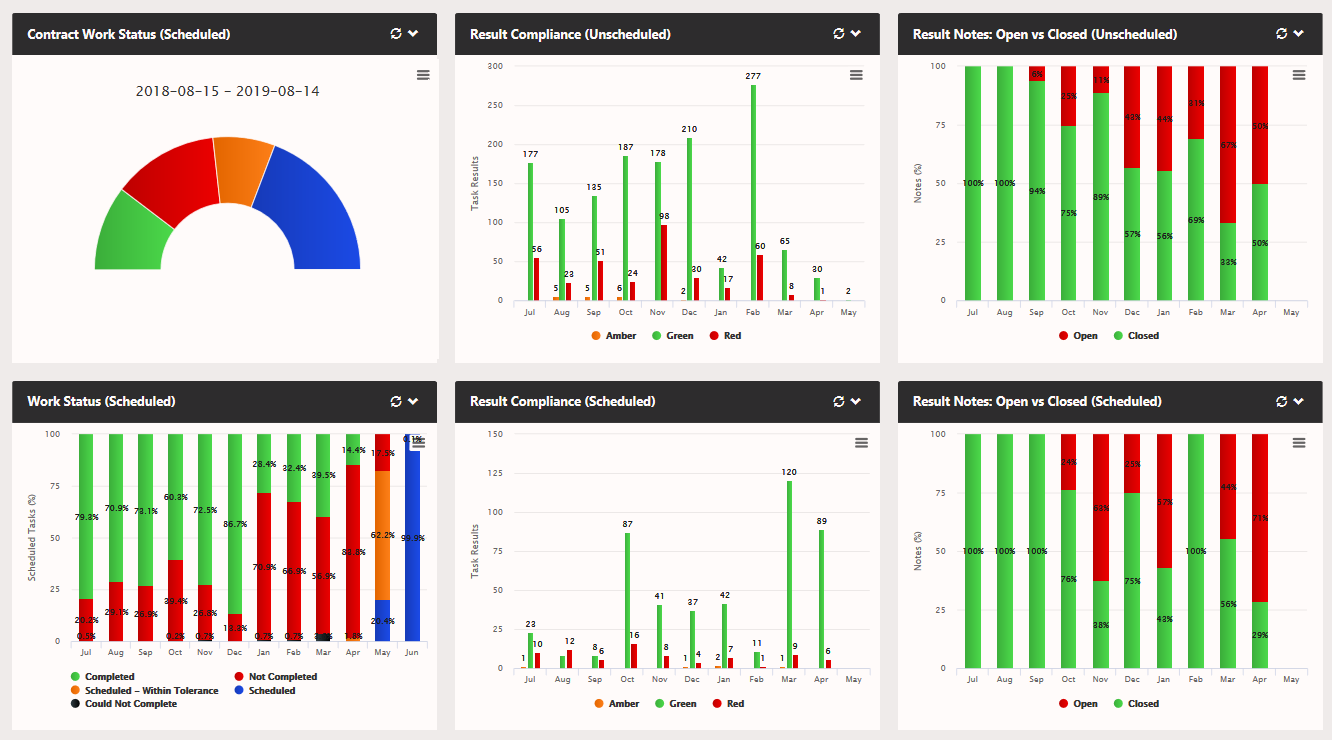
The Contract Work Status widget allows users to define the beginning and end of financial years or contract/project dates etc; displaying all the scheduled work within the period using the same colour scheme as the works status widget:
- Red - MISSED
- Black - COULD NOT COMPLETE
- Green - COMPLETED
- Amber - IN TOLERANCE
- Blue - SCHEDULED BUT NOT YET IN TOLERANCE
In the image below we can see it has been teamed up with a regular work status widget, result compliance for the same period, and open notes from scheduled events. This gives a great up to the second overview of how your are doing - or how your contractors are performing! All at the touch of the 'refresh all widgets' button. Additional result compliance and open vs closed note widgets have been added, these show all the work done outside of the schedule giving a more complete picture. Further widgets combining the scheduled/unscheduled data are also possible, used in conjunction with dashboards tabs board reports and more detailed analysis can be immediately available without any need to juggle widgets on a single dashboard.
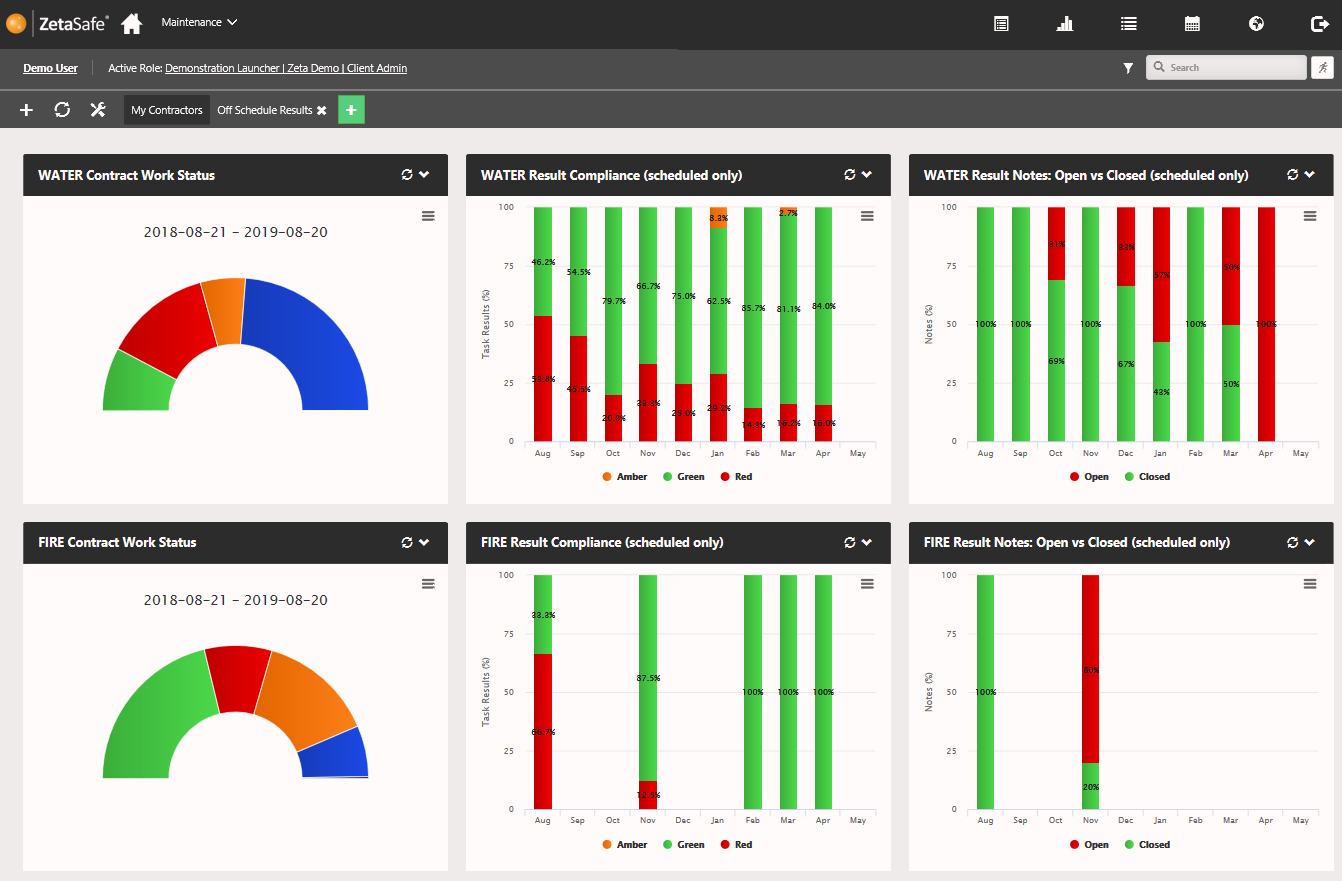
You might be using your dash to track your own work in a client, perhaps you are in charge of a large estate such as a university where you have multiple contractors on site. Using the various filters you can track progress in each year even where contract start dates may not be the same!
Comments
0 comments
Article is closed for comments.