
Grouping widgets with colour
Widgets can now be grouped using a colour tagging system, see example in Fig 1
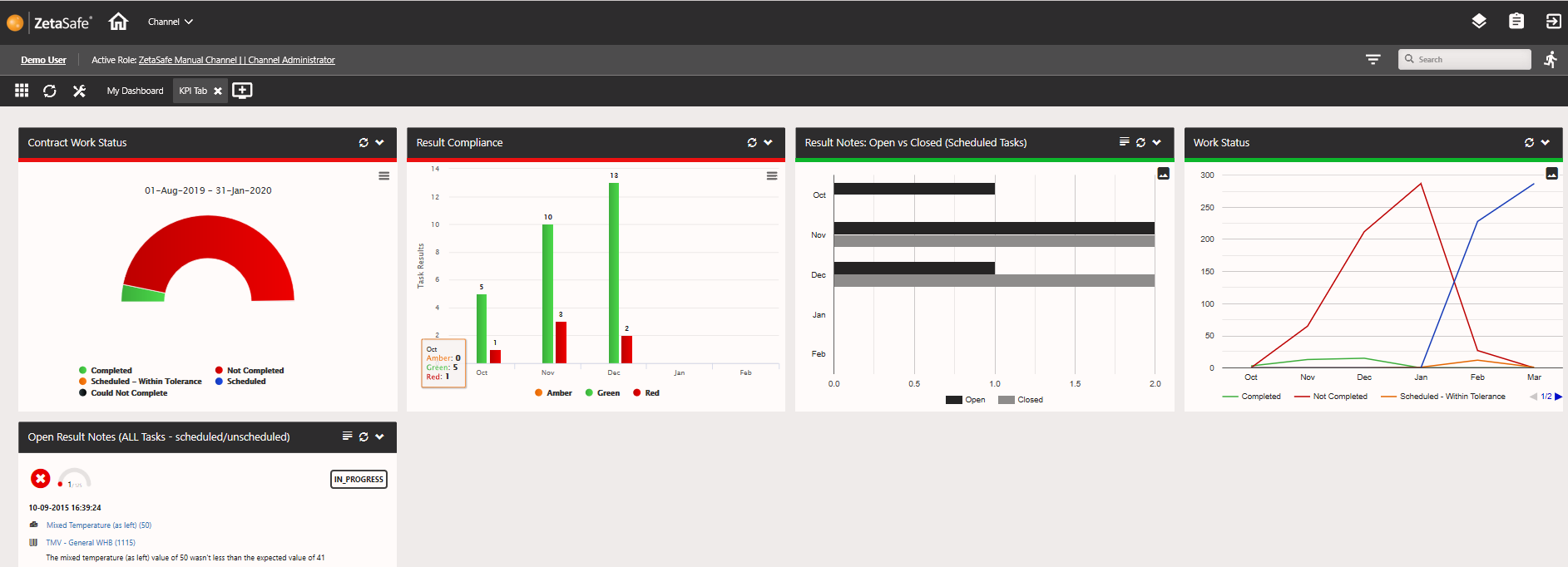
Fig 1
Selecting a colour is easy! If you just want go for basic colours and are not concerned with shades - just select the strong colour from the top right of the colour picker (See Fig 2). The colour codes can be copied and pasted if many groupings are required, and where use of shades is helpful to indicate widget relationships.
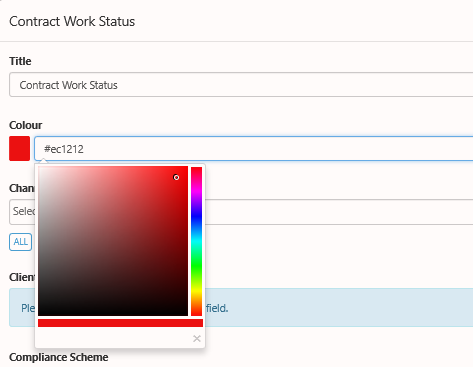
Fig 2
New Graph/Chart types available
Some of the widgets have been upgraded to allow different displays of the charts, at the moment this is available on
- Work Status
- Open vs Closed Notes
- Coming soon to Result Compliance
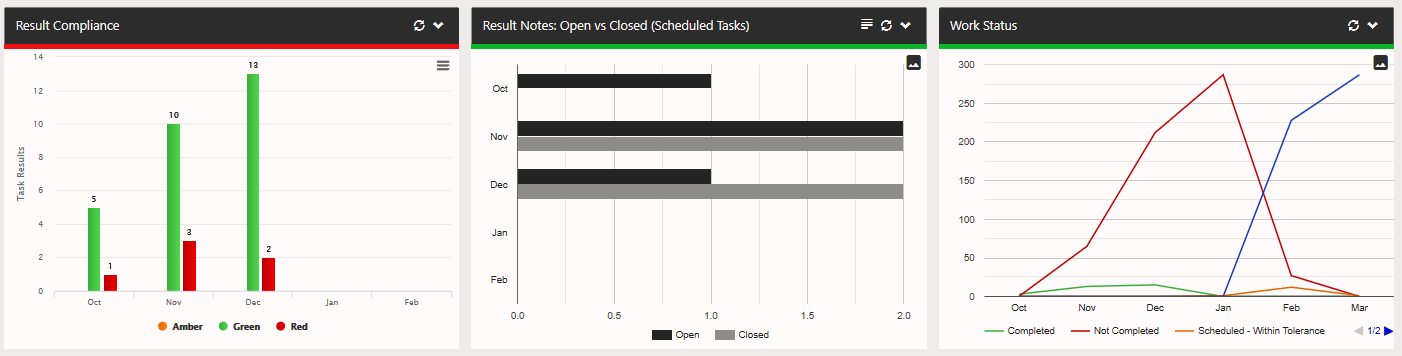
The types of chart are: Line, Bar and Column as shown below in Fig 3
Comments
0 comments
Article is closed for comments.